Google Search • A real claim, step by step
How to Claim Your Google Search Profile With 10,000 Followers
Have 10,000 followers on one public YouTube, Instagram, X or TikTok account? Check whether you can claim your Google Search profile.
I claimed mine through X. The screenshots here show what I saw on October 17, 2026, from connecting my account to reaching the welcome screen.
The useful part is having one place where people can find your work. Put accurate information and your best proof there. Do not expect a ranking jump just because you claimed it.
First, check the requirements
Google for Creators lists a public account with at least 10,000 followers on a single supported platform: YouTube, Instagram, X or TikTok. Adding smaller audiences together does not meet that rule.
Google lists availability in the United States, Canada and India. The claiming Google Account owner must be 18 or older; an adult can manage a profile for someone under 18. Your content must also meet Google's policies. See the current profile creation requirements before starting.
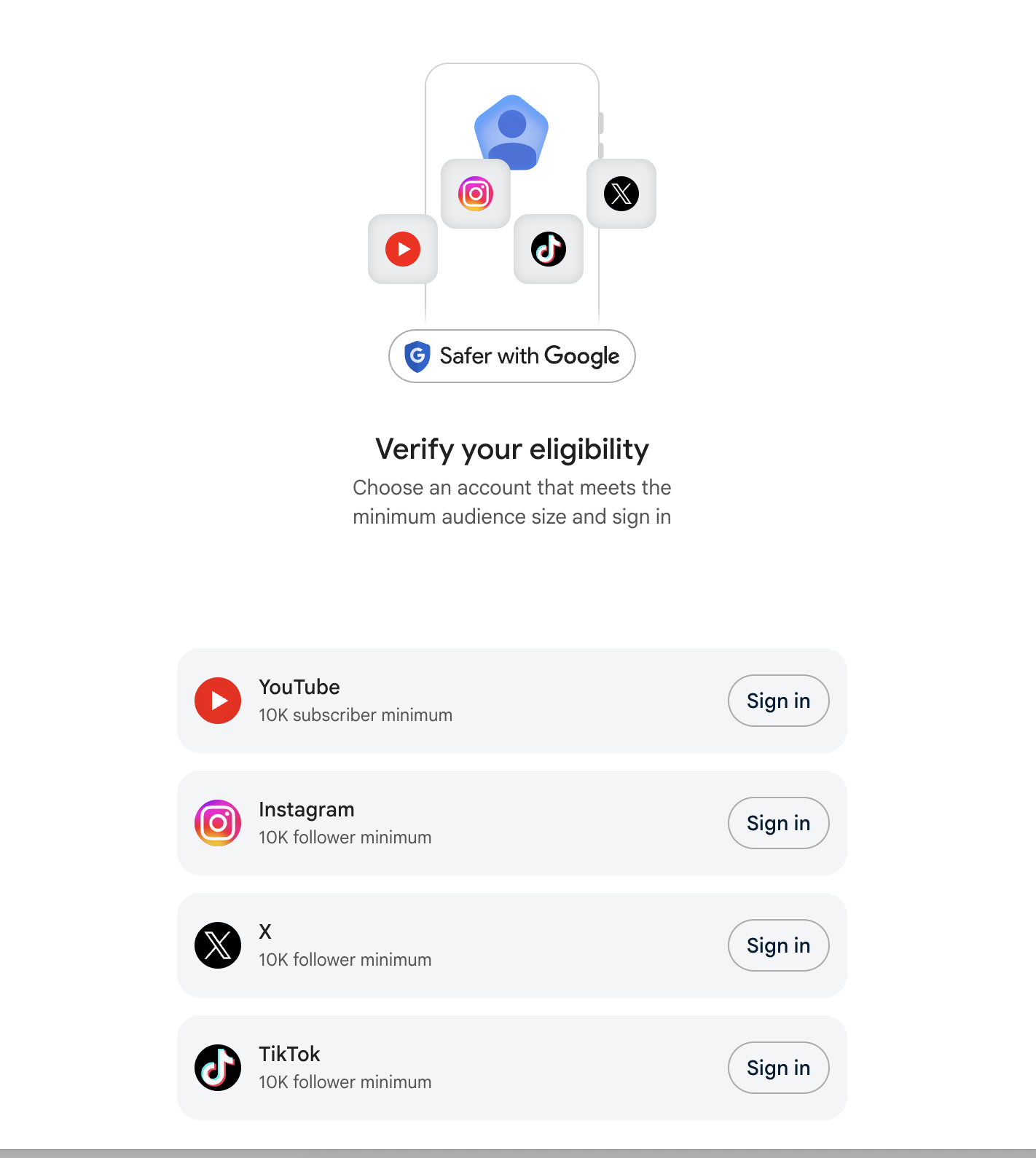
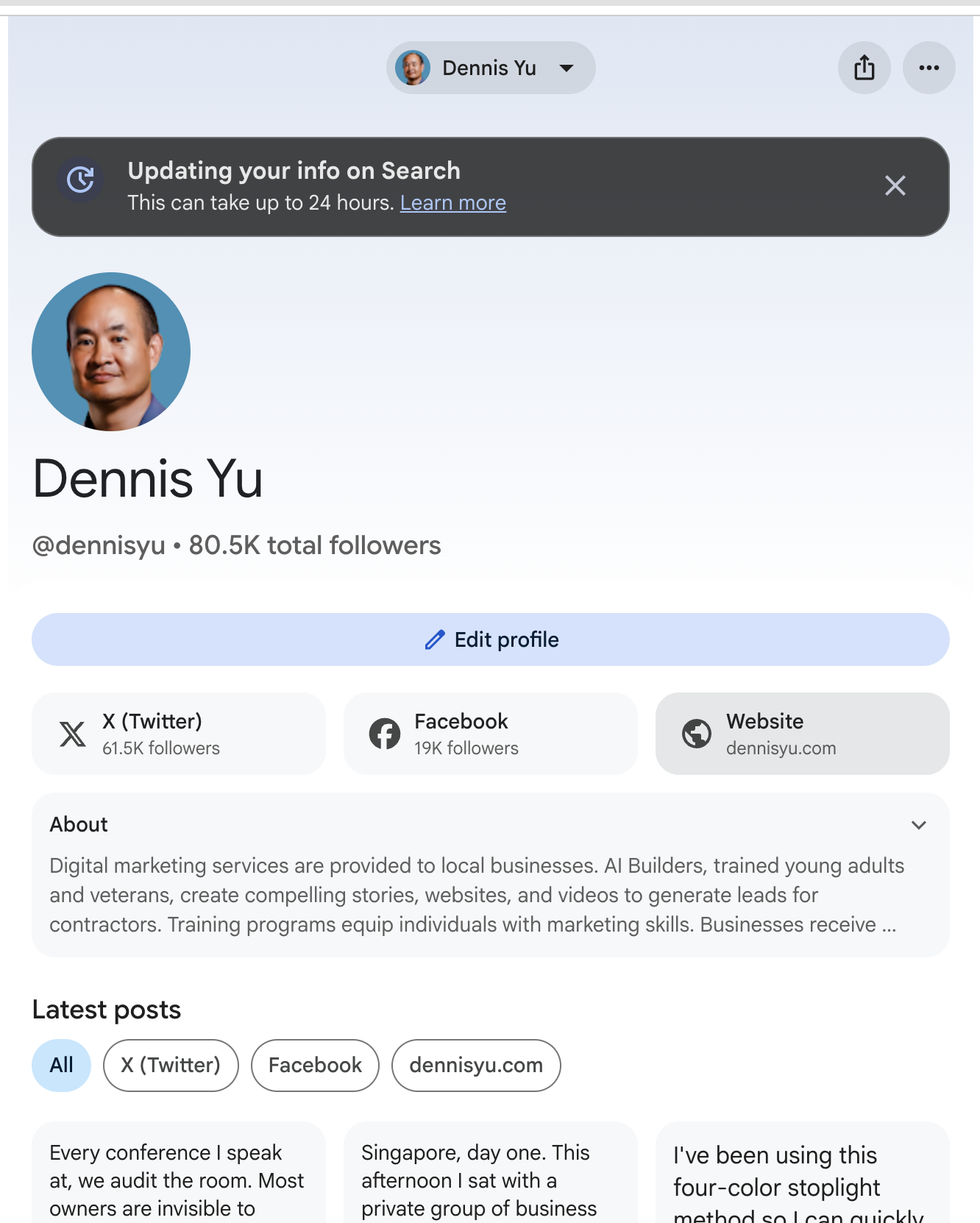
Notice that Facebook is on my profile screen, but it is not one of the four platforms Google lists for qualifying. A linked account and an eligible account are different things.
A Search profile and a Knowledge Panel do different jobs
A Search profile gathers your accounts, website links and content into a followable page. A Knowledge Panel is Google's information box about a person, brand or other entity. A Google Business Profile serves a different purpose for a business in Search and Maps.
Google says a Search profile may already exist if you have a Knowledge Panel. Check before creating another one. Having a panel does not prove there is a profile waiting, and the claims are separate. Google also says a panel may appear after Search profile setup. That is a possibility, not a promise. Google explains the relationship here.
My advice: treat each place as a chance to get the facts right. Use the name people know you by, a recognizable photo and links that belong to the same person or brand. Do not fill the page with accounts simply because you can sign in to them.
Claim an existing profile
Search Google for your name or handle. Look for View Search Profile near your Knowledge Panel. You can also start at profile.google.com/claim.
- Sign in to the Google Account you intend to use. If a YouTube channel is linked, follow Google's instruction to use its associated account or an account that manages the channel.
- Sign in to a linked content-platform account.
- Review the match Google finds. Confirm it represents the right person or brand before continuing.
- Complete any additional verification Google requests.
Google may ask for up to three linked account sign-ins or additional identity information. A previously claimed Knowledge Panel can support automatic identity verification. Follow the actual prompts rather than expecting the same path I saw. These steps come from Google's claim guide.
The connection screen I saw
When I used X, Google for Creators asked to connect to @dennisyu. This is the screen from my claim:
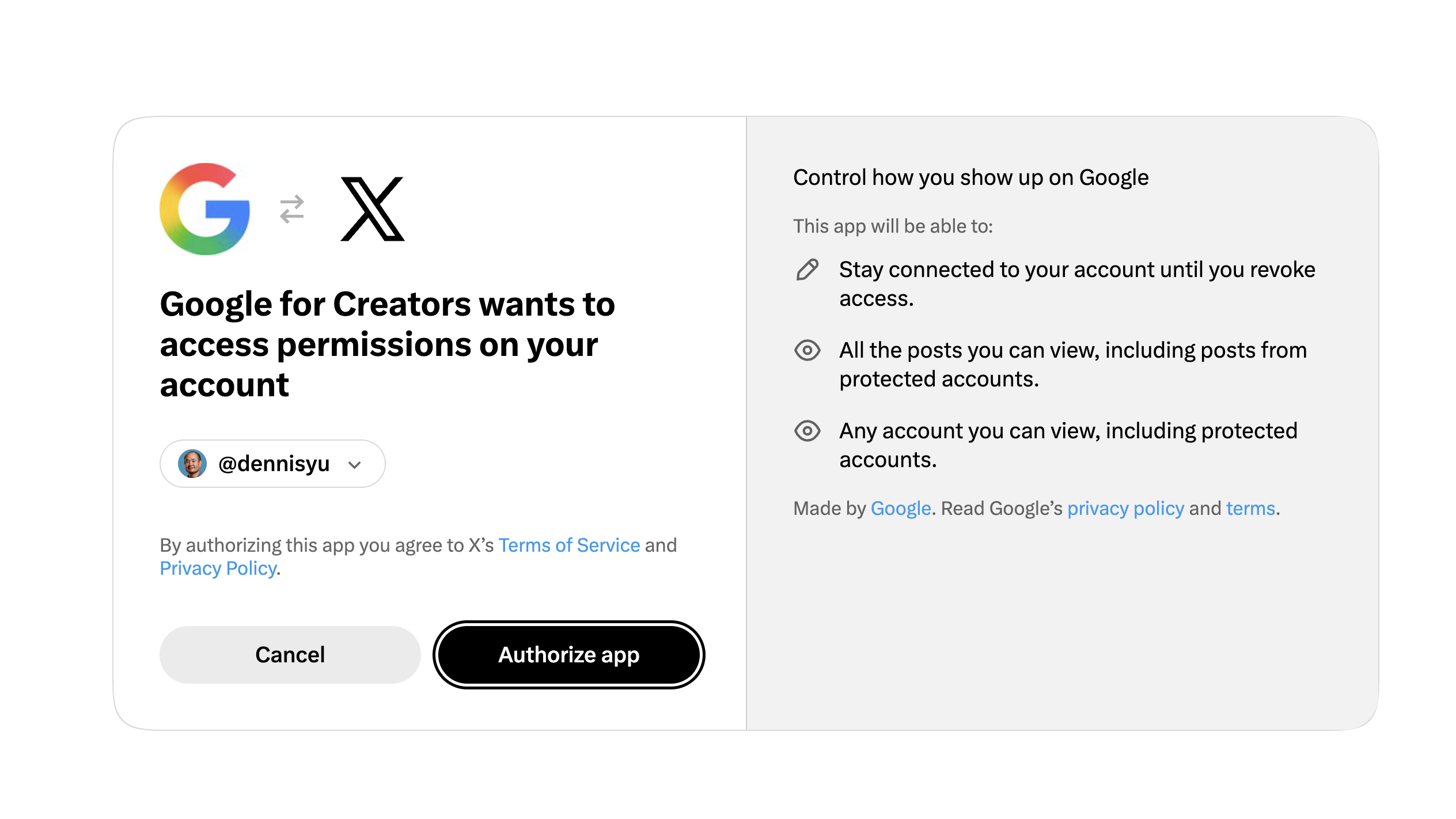
The screen describes access to viewable posts and accounts, including protected ones, and a connection lasting until access is revoked. Read what your current authorization screen asks for. Make sure the signed-in account is the one you mean to connect.
My identity verification result
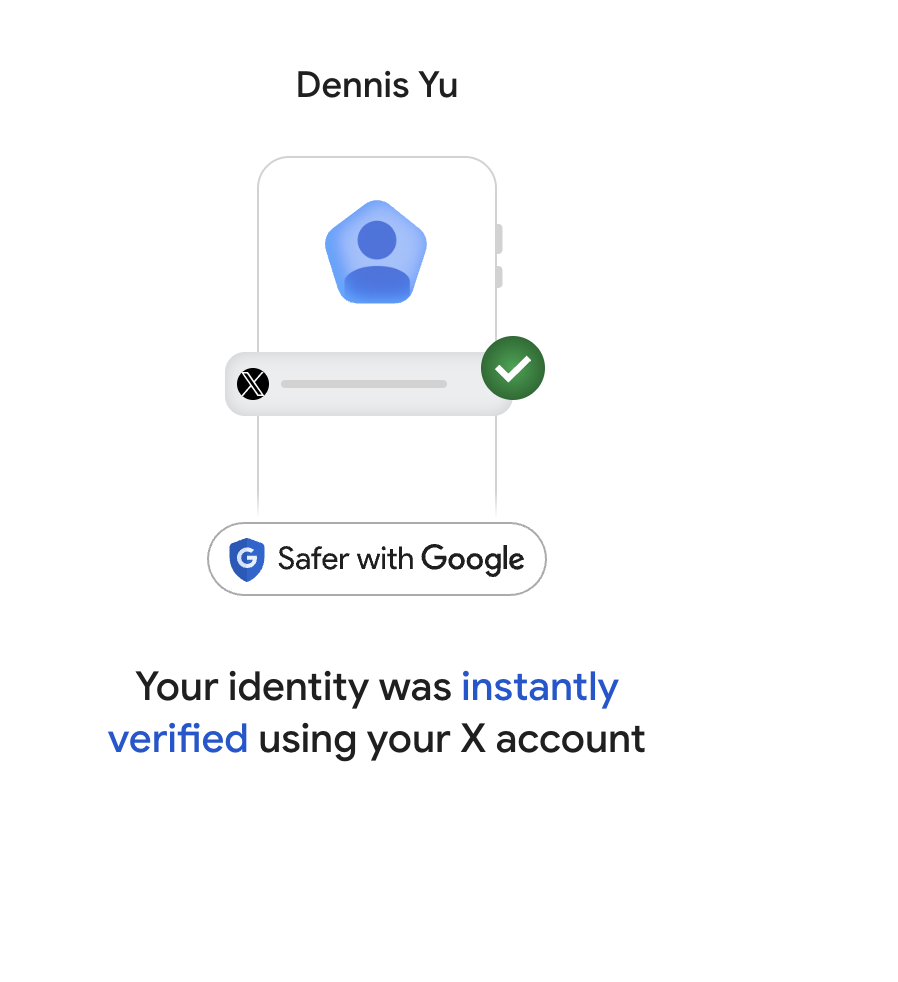
That was my experience. The screenshot does not tell us which signals Google used, so I would not turn it into a rule that an old account or a high follower count guarantees instant approval.
What the linked-account checks mean
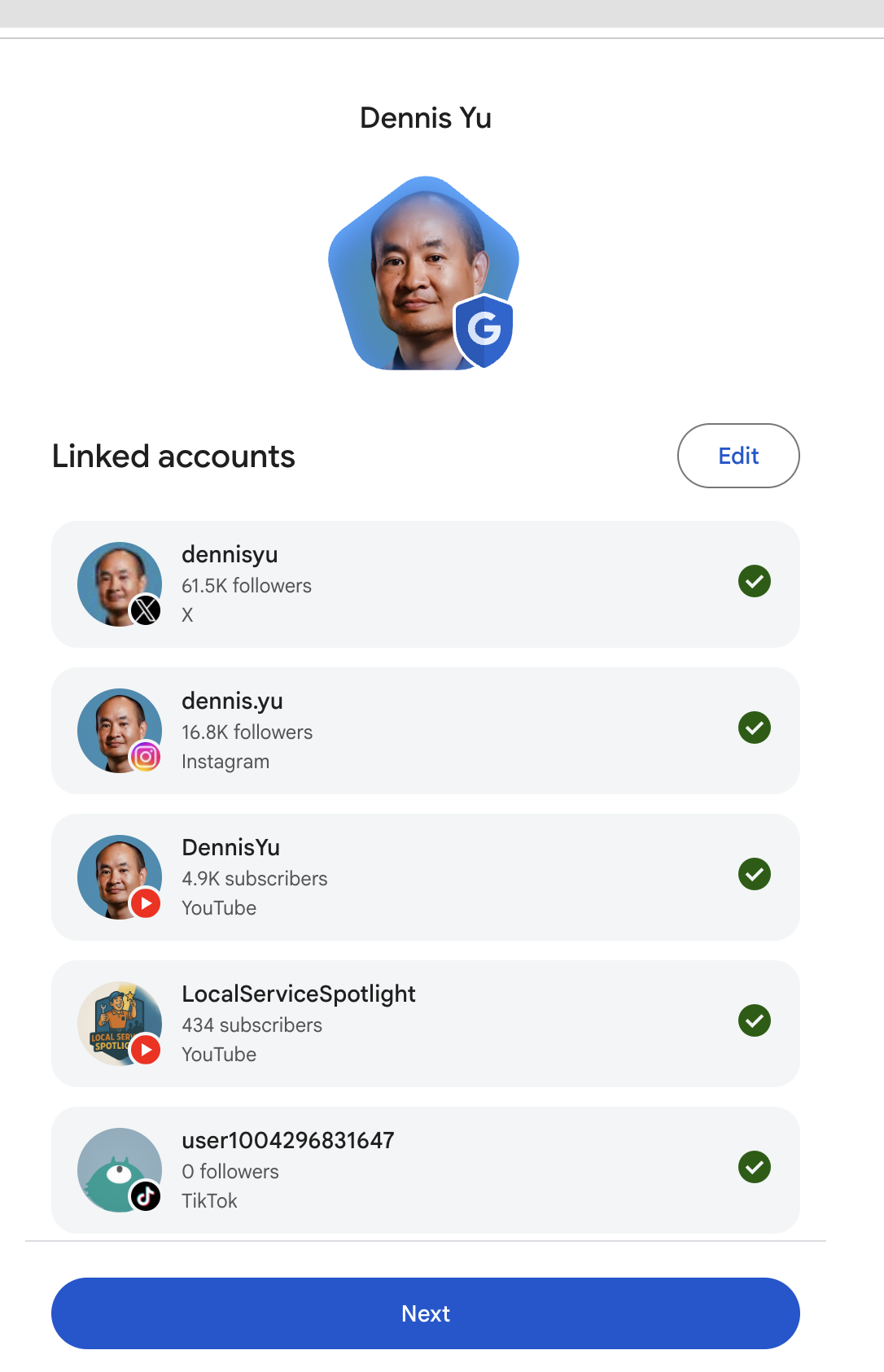
My X and Instagram counts in that screenshot are each above 10,000. My two YouTube counts and the TikTok count are below it. That makes the distinction easy to see: a small account can appear in the list without being the account that meets the audience threshold.
A green check is an account-verification indicator in this flow. It is not a separate public badge, proof that the account is public, or a statement that every listed account qualifies by follower count. Google's claim guide says the check appears after successful verification of an account.
Review the whole list. Does each account belong to this identity? Is an old or unrelated account mixed in? Google provides a way to request removal during claiming; reported accounts undergo review.
The welcome screen
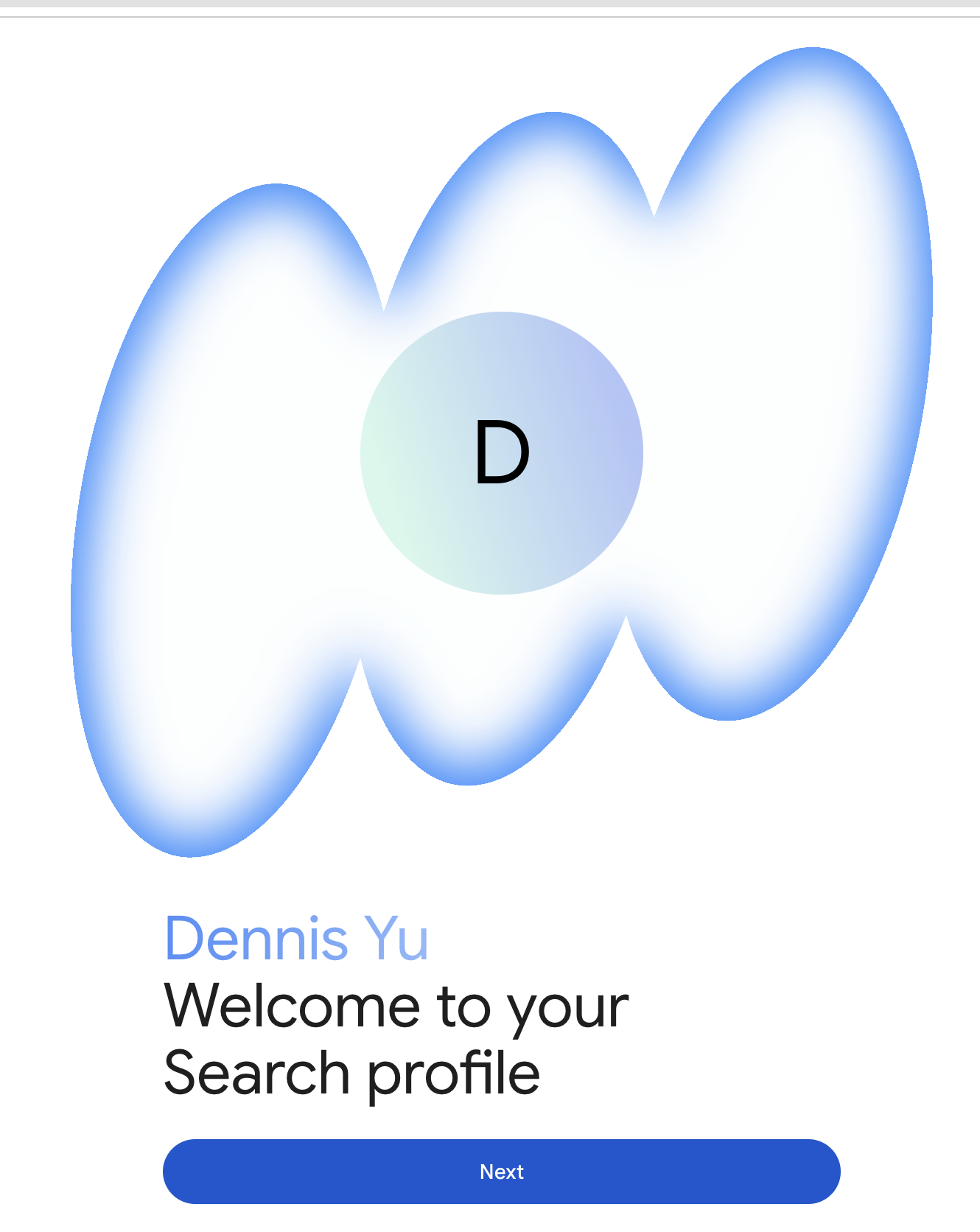
After setup, open the profile and review what people will see. Do the links lead to the right pages? Does the bio describe the right person? Does the featured work explain what you do? Those checks matter more than collecting a row of green marks.
If Google has not made a profile for you
You can create one if you meet the requirements. Start at Google's setup page, sign in to an eligible platform account, and follow the prompts to create the profile. Google may tell you that an existing unclaimed profile is linked to the account. Review that result first. The creation guide covers this path.
Do not create separate profiles for slight variations of the same name just to occupy more search results. Keep the identity clear. For genuinely different brands or identities, Google allows up to 10 profiles per Google Account.
Once you own it, give people something useful
Claiming is the setup. Choosing what belongs on the page is the work.
- Lead with proof. I would choose a useful talk, an article with a real example, or a piece that answers the question people ask me most. Google allows up to eight featured posts; some older or otherwise ineligible posts cannot be pinned.
- Make the links earn their place. You can add up to eight web links. Start with your own site and the places where someone can learn more or take a useful next step. You do not have to fill all eight.
- Read the bio as a stranger. Would someone understand who you help and what you do? Remove vague claims and check names and facts.
- Check again after editing. Name and bio suggestions need Google review. Adding platforms also requires review. New linked-platform content can take 24–48 hours to appear; timing varies.
Use profile.google.com/account to return to your profile. Google's management guide explains editing, featured posts, links and content updates.
Here is the limit to remember: creating a Search profile does not directly affect your content's Google Search ranking. People who follow you may see more of your content in Discover. Google states that in its creation FAQ. Build the profile to help a person find and understand your work.
How this fits with the rest of your Google presence
The profile is one part of the system. Your own site should explain who you are. The articles, videos and other sources about you should support that explanation. Your profile gives people another place to reach that work.
For the broader picture, read How to Dominate Google Search and Establish Your Personal Brand. For panel-specific work, use How to Unlock, Claim, and Merge Knowledge Panels.
Related reading: our Knowledge Panel examples, Knowledge Panels vs. Google Business Profiles, and the Knowledge Panel book. Use this guide for the Search profile claim itself.
Common questions
What if I have 10,000 followers spread across several accounts?
The requirement is on one public account on a supported platform. Combined totals do not meet it.
Why is my profile not showing when I search my name?
Google says a shared name can make the match difficult. Try your social handle. If the profile still does not appear for a query unique to you, Google's creation guide explains how to send feedback. Claiming does not guarantee a panel will appear.
What if the wrong account is attached?
Review the removal options and support form in Google's claim guide. Do not authenticate someone else's account to get through the process.
Will everyone see the same verification screens I did?
No. These are my October 17 screenshots. Google can request more information, and the interface and requirements can change. Start with the current Google guidance and use the screens here to understand the decisions.